
Secure Your Fortnite Account With 2Fa
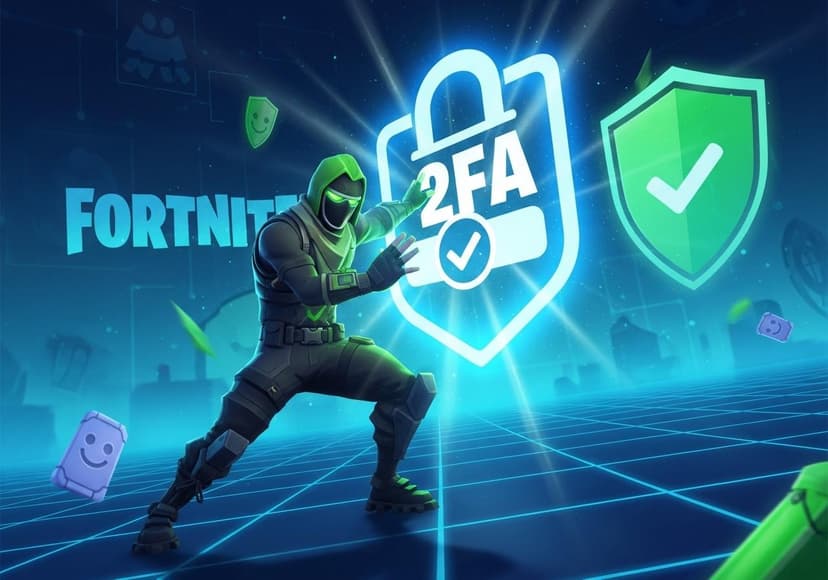
Enable two-factor authentication for enhanced account security. Follow these steps to activate 2FA in Fortnite.
Are you tired of constantly worrying about your Fortnite account? Is the thought of getting your Fortnite account hacked keeping you up at night? Well, it's time to put those fears to rest! Enabling Fortnite 2FA, or Two Factor Authentication, is a game-changer for anyone looking to bolster their Fortnite Account Security.
What is Fortnite 2FA?
Fortnite 2FA is an additional security layer that helps protect your account. It works by requiring a second form of verification before you can access your account. This means that even if someone manages to get hold of your password, they still can't access your game without that second verification code!
Not convinced? Think of it this way: The world of gaming is buzzing with players, and attracting attention from hackers is unfortunately part of that mix. To guard your Fortnite Account Protection, enabling 2FA is a simple yet effective move.
Why Enable 2FA for Fortnite?
When you enable 2FA for Fortnite, you're making a wise choice. Here's why:
- Prevent Unauthorized Access: You'll have that extra layer of security.
- Keep your Skins Safe: Your prized possessions in the game deserve protection!
- Get Free Rewards: Epic Games often gives out rewards for enabling 2FA. Who doesn't want some sweet loot?
How to Enable 2FA in Fortnite
Ready to get started? Here's your ultimate Fortnite 2FA Setup guide:
- First, log in to your Epic Games account. Head over to the Epic Games login page.
- Once logged in, navigate to the Account section.
- Look for the Password & Security tab.
- Scroll down until you find the Two-Factor Authentication section.
- Choose your preferred method: Email Authentication or Authenticator App.
- Follow the prompts to complete the verification process.
Fortnite 2FA Guide: Step-by-Step Features
After you’ve enabled 2FA, you can confidently dive into gameplay without the nagging worry of your Fortnite Account Hacked. Remember, though, the security doesn’t stop here.
Every time you log in from a new device, you'll need to provide that second layer of verification. This means you have peace of mind knowing your account is securely locked away, making it a burden for anyone thinking about hacking.
What If You Forget Your Password?
Oops! Did you forget your Fortnite password? No sweat. With Fortnite Password Reset, you can quickly regain access to your account:
- Visit the Epic Games login page.
- Click on “Forgot Your Password?”
- Follow the instructions to reset your password.
- Don't forget to check your spam folder for the password reset email!
However, if your account has already been compromised, you'll need to go through the Fortnite Account Recovery process. Make sure to reach out to Epic's support team for assistance.
Final Thoughts on Fortnite Account Security
In the end, protecting your game account is crucial. Enabling Fortnite Two Factor Authentication is a key step in ensuring your account remains yours, safe from unwanted access. Don't wait until it’s too late! Hackers are getting more sophisticated every day, and your Fortnite Account Protection should be a priority.
The game can be intense and exhilarating, filled with challenges and epic wins. So don't let concerns over account security detract from your gaming experience. Secure your Fortnite account now and enjoy worry-free gaming!
If you’re still confused or need more help, there are great resources around! For detailed information on account security, check out this article for some extra tips.
So what are you waiting for? Take the leap and enable that 2FA for Fortnite. Your future self will thank you!
Related Posts

20 Cloud Security Services You Should Consider
Protecting cloud infrastructure is crucial. Explore essential security services, encompassing data, threat detection, and compliance.

Cloud Security Posture Management Tools You Should Know
Assess and improve your cloud security. Enhance compliance and detect misconfigurations for robust protection.
Cost Savings The Financial Benefits Of Cybersecurity Software
Cybersecurity software protects assets, minimizes breaches, ensuring business continuity, and reducing financial losses effectively.