
Google Ads Cost Calculator 7 Tips To Optimize Your Budget
Optimize your budget with these 7 tips, using a Google Ads cost calculator for better results.
Are you excited to dive into the world of Google Ads but concerned about how to optimize spending? You're not alone! Whether you're new to PPC advertising or looking to refine your existing campaigns, understanding how to effectively use a Google Ads Cost Calculator can be a game changer. Let’s explore seven tips that can help you make the most of your budget and ensure that you're getting the best return on your investment.
1. Understand Your Bid Management Strategies
The foundation of any successful PPC strategy lies in effective bid management strategies. It’s crucial to determine how much you’re willing to spend for clicks on your ads. The Google Ads Cost Calculator gives you valuable insights which will help you adjust your bids. Monitoring your bids daily and understanding how they impact your ads' visibility can significantly influence your budget utilization.
2. Leverage Keyword Research Tools
Keyword research is a key component of landing page optimization. Using advanced keyword research tools can help you identify the most profitable keywords within your niche. These tools provide insights into keyword competition and average cost-per-click (CPC), allowing you to choose the right keywords while keeping your budget intact. By selecting the right keywords, you can enhance your ad's visibility and targeting, providing better results.
3. Implement Conversion Tracking
If you want to be successful with Google Ads, setting up conversion tracking is a must. This allows you to determine how many clicks are leading to actual sales or leads. By knowing which ads and keywords convert well, you can redirect your budget towards high-performing campaigns. It allows you to adjust your spending on ads that deliver results, instead of wasting funds on those that don’t.
4. Optimize Your Quality Score
Google assigns a Quality Score to your ads based on their relevance. Higher Quality Scores translate to lower costs per click and better ad placements. Focusing on Quality Score optimization involves ensuring that your ad copy, keywords, and landing pages are closely aligned. The more relevant your ads are to users, the less you’ll pay and the higher your ad will rank.
5. Use Ad Extensions Effectively
Ad extensions can increase the visibility of your ads without costing you a dime! They give additional information such as location, phone numbers, or links to specific pages on your website. By using ad extensions wisely, you can generate more clicks for the same budget. This means more potential customers will see your ads and click through to your landing pages, enhancing your conversion potential.
6. Incorporate Negative Keywords
Negative keywords are essential for eliminating unwanted clicks, ultimately saving your budget. They ensure that your ads don’t appear when certain terms are searched, filtering out traffic that’s unlikely to convert. This is a vital component of any PPC strategy. Regularly updating your list of negative keywords helps you to refine your targeting and improve the efficiency of your campaigns.
7. Explore Geotargeting and Ad Scheduling
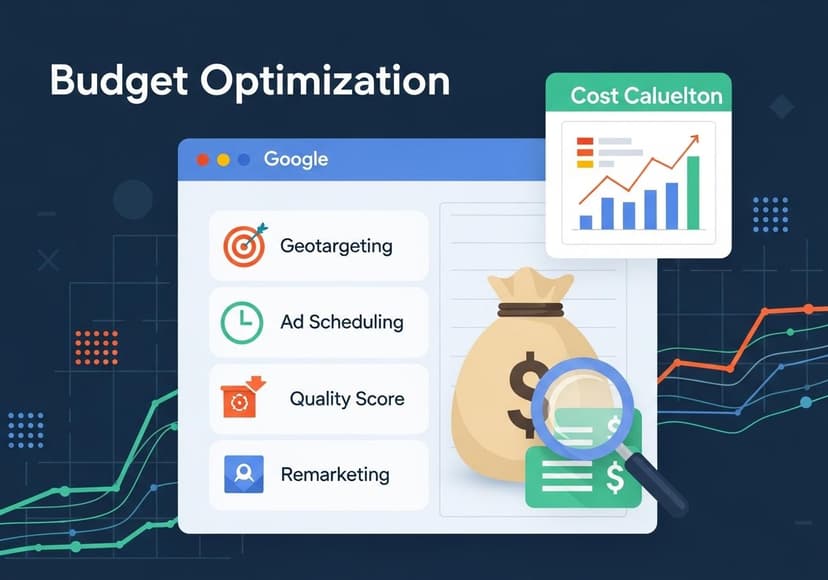
Targeting the right audience is essential for staying within your budget. Utilize geotargeting to narrow down your audience by location—this allows you to reach the most relevant consumers. Similarly, ad scheduling lets you run ads when your target audience is most active, optimizing your spend. Together, these strategies can dramatically increase your ad’s performance and improve your overall ROI.
One of the most powerful strategies to consider is remarketing. This allows you to reach users who have previously visited your site but didn’t convert. By displaying targeted ads to recapture their interest, you can increase your chances of conversion without significantly stretching your budget. Remarketing is an essential tool you can incorporate into your Google Ads strategy. To get started, check out the resource available at Google Ads Campaign Budget.
Conclusion
Optimizing your Google Ads budget is not just about cutting costs; it’s about making informed decisions that lead to better performance. Utilizing a Google Ads Cost Calculator while keeping these tips in mind will empower you to create effective ads that not only reach but resonate with your audience. Remember, the goal is to convert clicks into customers—and with the right strategies, it’s absolutely achievable!
Are you ready to take your Google Ads campaigns to the next level? Start by diving into these strategies and watch your marketing efforts flourish!
Related Posts

10 Foods To Lower Your A1C
Incorporating specific foods, like those rich in fiber, can significantly help manage and decrease A1C levels effectively.

20 Article Titles For Isn Certification For Contractors
Contractors' ISNetworld certification ensures safety, compliance, and qualification, mitigating risks, and promoting worksite excellence and reliability.

20 Article Titles For Isn Certification For Contractors
ISNetworld certification ensures contractor compliance, promoting safety and reducing risks across diverse projects and industries.